Admission Cell
Technology

How to Apply for APAAR ID?

A
Written by Amit Anand
• •

Overview & Prerequisites

How to Apply for APAAR ID?

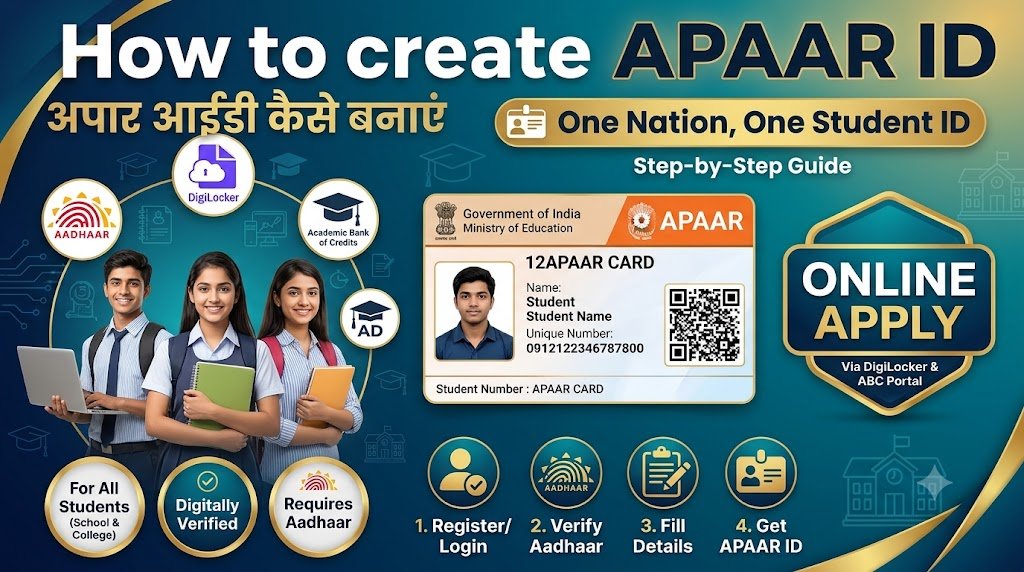
APAAR ID (Automated Permanent Academic Account Registry) भारत के Students के लिए एक Unique 12-Digit Academic ID है। इसे One Nation, One Student ID के नाम से भी जाना जाता है। यह Students के Academic Records, Marksheets, Certificates और Credits को Digital रूप से Manage करने में मदद करता है।

What is APAAR ID?

APAAR ID एक Permanent Academic Identity है, जिसके माध्यम से Students अपने Academic Records को Digital रूप से Access और Manage कर सकते हैं।

Prerequisites for APAAR ID

Aadhaar Card

Student का Aadhaar Card और Aadhaar से linked Mobile Number उपलब्ध होना चाहिए।

Institution Details

School, College या University का Name और संबंधित Institution Details आवश्यक हैं।

Admission Details

Student का Admission Number, Registration Number या Roll Number तैयार रखें।

Student Verification

Student का Name और Date of Birth Aadhaar तथा Institution Records के अनुसार Match होना चाहिए।

Important: APAAR ID Generation के लिए School या Institution Verification और आवश्यक Consent की प्रक्रिया लागू हो सकती है। Minor Students के लिए Parent/Guardian Consent आवश्यक है।

Method 1: Via Official ABC / APAAR Portal

Method 1: Via Official ABC / APAAR Portal

Students Academic Bank of Credits (ABC) Portal के माध्यम से APAAR / ABC ID Generate कर सकते हैं। इसके लिए नीचे दिए गए Steps Follow करें।

01

Visit the Official Portal

सबसे पहले Official Academic Bank of Credits Portal पर जाएं।

Visit ABC Portal
02

Open My Account

Portal पर My Account Section में जाएं और उपलब्ध Student Option को Select करें।

03

Sign In with DigiLocker

अपने DigiLocker Credentials से Login करें। New User होने पर DigiLocker Account Create करके Mobile OTP Verification पूरा करें।

04

Consent & Aadhaar Verification

आवश्यक Consent प्रदान करें और Aadhaar-linked Mobile पर प्राप्त OTP के माध्यम से Identity Verification पूरा करें।

05

Enter Academic Details

Institution Type, School / College / University Name, Admission Year और Roll Number या Registration Number जैसी Required Details भरें।

06

Generate APAAR / ABC ID

सभी Details Verify करके Submit करें। ID Generate होने पर Dashboard या DigiLocker में उपलब्ध Details Check करें। जरूरत पड़ने पर ID को Download या Print करें।

Important: Portal का Interface और Verification Steps बदल सकते हैं। Student की Academic Details Institution Records से Match होनी चाहिए। Minor Students के लिए Parent / Guardian Consent की आवश्यकता हो सकती है।

Method 2: Via DigiLocker App / Website

Method 2: Via DigiLocker App / Website

Students DigiLocker के माध्यम से भी अपना APAAR / ABC ID Card Access और Download कर सकते हैं। इसके लिए नीचे दिए गए Steps Follow करें।

01

Open DigiLocker

सबसे पहले DigiLocker की Official Website खोलें या अपने Mobile में DigiLocker App Launch करें।

Visit DigiLocker
02

Login to DigiLocker

अपने Registered Mobile Number या Aadhaar Details और Security PIN की मदद से DigiLocker Account में Login करें।

03

Search APAAR ID

Search Documents Section में APAAR या Academic Bank of Credits Search करें और Ministry of Education से संबंधित Document Select करें।

04

Enter Academic Details

Institution Type, Institution Name, Admission Year, Identity Type और Roll Number या Enrollment Number जैसी Required Details भरें।

05

Fetch APAAR Document

आवश्यक Consent Check करें और Get Document पर Click करें। Institution Records के अनुसार Details Verify की जा सकती हैं।

06

Download APAAR ID Card

DigiLocker के Issued Documents Section में जाएं। यहां उपलब्ध APAAR ID Card को View, Download या Share कर सकते हैं।

Important: APAAR ID तभी DigiLocker में उपलब्ध होगी जब संबंधित Institution द्वारा आवश्यक Verification और ID Generation Process पूरी हो चुकी हो।

APAAR ID for School Students (Minors)

APAAR ID for School Students (Minors)

Class 1 से Class 12 तक के School Students की APAAR ID Generation Process सामान्यतः School के माध्यम से शुरू की जाती है। इसमें Student Verification और Parent / Guardian Consent महत्वपूर्ण है।

School Initiates Process

School UDISE+ Portal के माध्यम से Student की Details Verify करके APAAR ID Generation Process Initiate करता है।

Parental Consent

Minor Student के लिए Parent या Guardian से आवश्यक Physical या Digital Consent प्राप्त किया जाता है।

Student Details Verification

School Student का Name, Date of Birth और Aadhaar Details Verify करता है। UDISE+ Records और Aadhaar Details Match होना जरूरी है।

APAAR ID Generation

Successful Verification के बाद APAAR ID Generate की जाती है। Student इसे DigiLocker में Access कर सकता है।

Important: APAAR ID के लिए Student का PEN (Permanent Education Number) आवश्यक है। Parent / Guardian Consent के बिना Minor की APAAR ID Generation Process आगे नहीं बढ़ाई जानी चाहिए।
Official APAAR Portal

Benefits of APAAR ID

Benefits of APAAR ID

APAAR ID students के academic records को digitally manage करने में मदद करती है। इसके कुछ प्रमुख benefits नीचे दिए गए हैं:

Digital Academic Records

Students के academic records जैसे marksheets, certificates और credits को digitally access और manage करना आसान होता है।

Unique Student Identity

APAAR ID प्रत्येक student के लिए एक unique academic identity प्रदान करती है, जिससे records को पहचानना आसान होता है।

Easy Academic Transfer

School या college बदलने के दौरान academic records को access और transfer करने में सुविधा मिल सकती है।

DigiLocker Integration

APAAR ID से जुड़े उपलब्ध academic documents को DigiLocker में digitally access किया जा सकता है।

Academic Credit Management

Academic Bank of Credits (ABC) के माध्यम से eligible academic credits को digitally manage करने में मदद मिलती है।

Convenient Access

Students को अपने available academic documents और records को online access करने में सुविधा मिलती है।

Note: APAAR ID academic identity और records management के लिए है। इसका उपयोग और उपलब्ध services institution तथा संबंधित government guidelines पर depend कर सकती हैं।

Central Admission Counselling

Get syllabus comparisons, fees charts, and verified university guidance with zero consultation fee.

100% Privacy Protected • Official Counsellor Assistance
Admissions Open

Planning To Study How to Apply for APAAR ID??

Get accurate university fee comparisons, eligibility criteria verification, and complete admission process support without paying any consultation fees.